vLLM Config Wizard


vLLM Config Wizard is an open-source CLI tool that takes the guesswork out of LLM deployment. Give it your model and hardware, and it generates:
✅ VRAM feasibility analysis with detailed breakdown
✅ Optimized vLLM configuration ready to deploy
✅ Performance estimates (throughput, latency)
✅ Docker & Kubernetes manifests
All offline. No model downloads. No API calls. Just instant answers.
Quick Start
Installation
pip install vllm-wizard
That's it. No dependencies to configure. No HuggingFace tokens needed.
Your First Plan
# Check if LLaMA-2-7B fits on an RTX 4090
vllm-wizard plan --model meta-llama/Llama-2-7b-hf --gpu "RTX 4090"
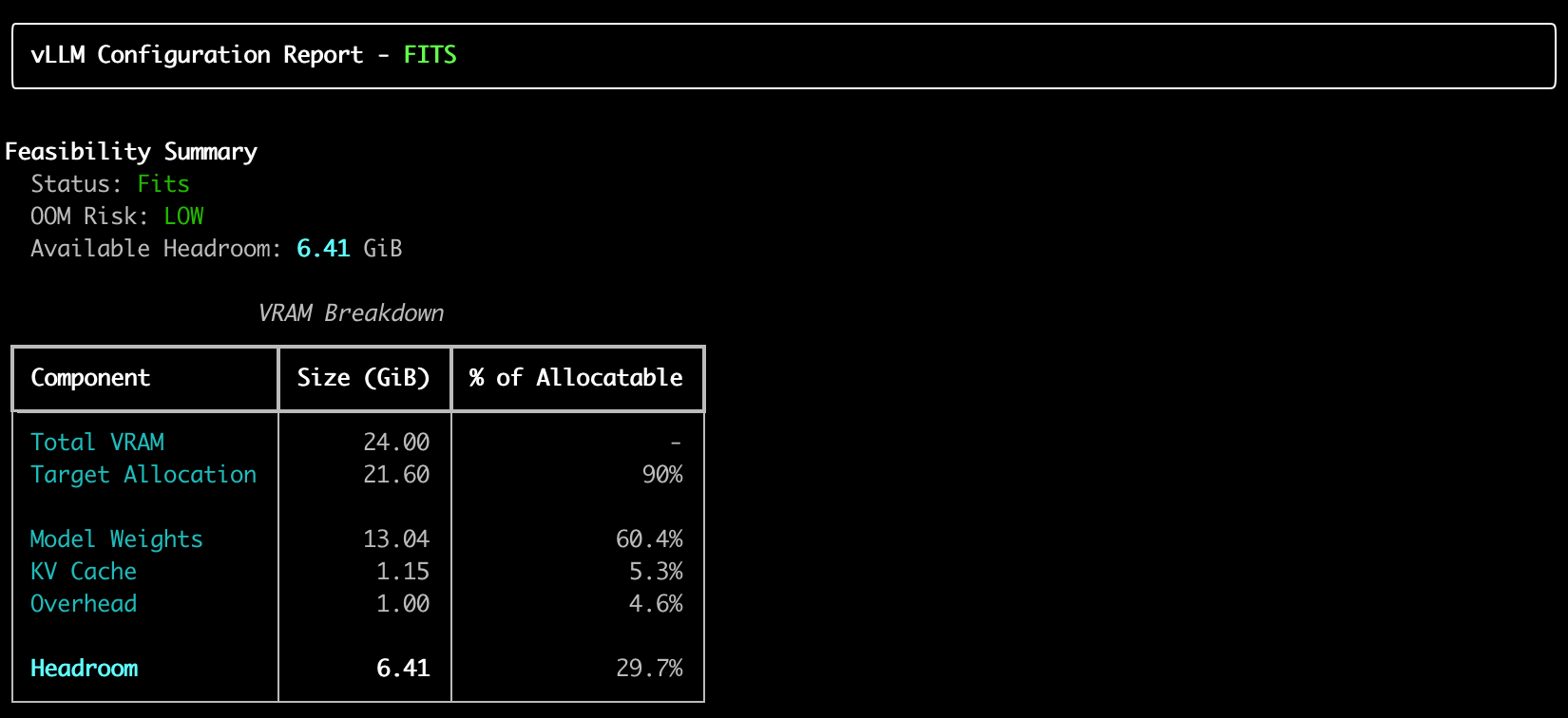
Example of output:
Features That Make Deployment Less Painfull
1. Offline Model Estimation
Unlike other tools, vLLM Config Wizard never downloads models. It uses a built-in database of 80+ known models and intelligent architecture estimation based on parameter count.
# Works instantly, no internet required
vllm-wizard plan --model meta-llama/Llama-2-70b --gpu "A100 80GB"
2. Smart GPU Detection
The tool knows 80+ GPUs by heart:
| GPU | VRAM | Type | |-----|------|------| | RTX 4090 | 24 GB | Consumer | | RTX A6000 | 48 GB | Professional | | A100 80GB | 80 GB | Datacenter | | H100 | 80 GB | Datacenter | | L40S | 48 GB | Datacenter |
Don't see your GPU? Just provide VRAM manually:
vllm-wizard plan --model mistralai/Mistral-7B --gpu "Custom GPU" --vram-gb 16
3. VRAM Breakdown That Actually Makes Sense
VRAM Breakdown
━━━━━━━━━━━━━━━━━━━━━━━━━━━━━━━━━━━━━━━━
Total VRAM:              24.00 GiB
Target Allocation:       21.12 GiB (88%)

Model Weights:           13.48 GiB  64%
KV Cache:                 2.30 GiB  11%
Overhead:                 1.00 GiB   5%
─────────────────────────────────────────
Headroom:                 4.34 GiB  21%

Status: ✅ FITS  |  OOM Risk: LOW
4. Automatic Recommendations
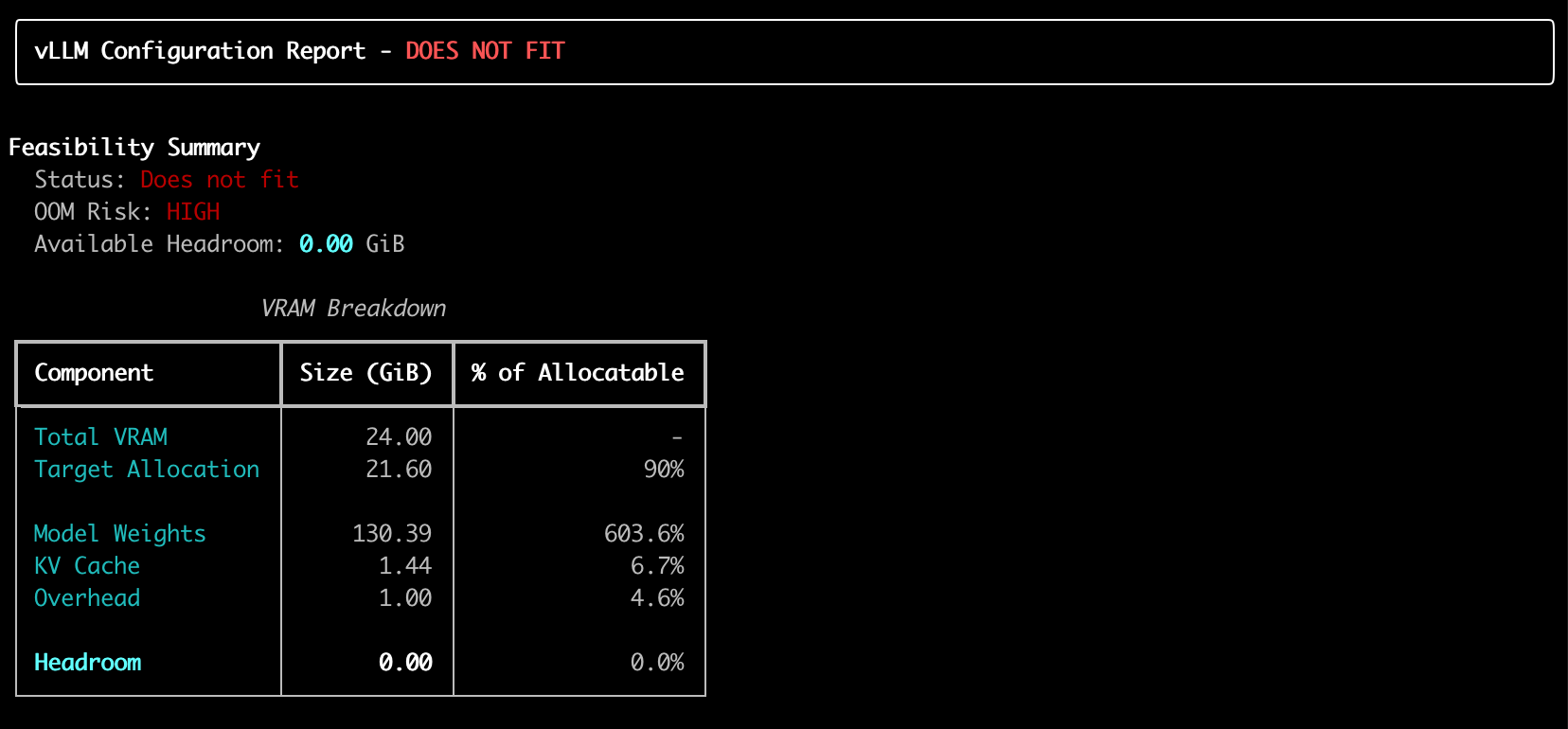
When things don't fit, the wizard suggests solutions:
# 70B model on single GPU? It'll recommend quantization
vllm-wizard plan --model meta-llama/Llama-2-70b --gpu "RTX 4090"
Output:
⚠️  Configuration does not fit in VRAM
💡 Recommendation: Use AWQ 4-bit quantization
💡 Recommendation: Use tensor parallelism with 4x A100
Example of output:
5. Generate Deployment Artifacts
# Generate vLLM serve command, Docker compose, and profile
vllm-wizard generate \
  --output-dir ./deployment \
  --model meta-llama/Llama-2-7b-hf \
  --gpu "RTX 4090" \
  --emit command,compose,profile
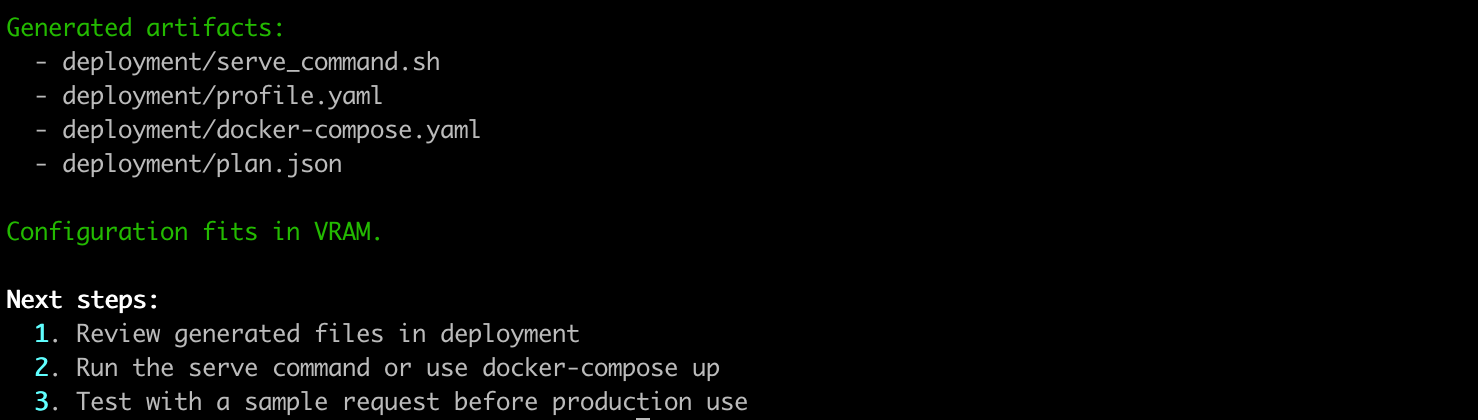
Creates:
serve_command.sh- Ready-to-run vLLM commanddocker-compose.yaml- Container deploymentprofile.yaml- Reusable configurationplan.json- Full analysis data
Example of output:
Example 1: Single GPU Deployment
vllm-wizard plan \
  --model meta-llama/Llama-2-7b-hf \
  --gpu "RTX 4090" \
  --max-model-len 4096 \
  --concurrency 4
Example 2: Multi-GPU with Tensor Parallelism
vllm-wizard plan \
  --model meta-llama/Llama-2-70b \
  --gpu "A100 80GB" \
  --gpus 4 \
  --tensor-parallel-size 4 \
  --interconnect nvlink
Example 3: Quantized Model for Consumer GPU
vllm-wizard plan \
  --model meta-llama/Llama-2-70b \
  --gpu "RTX 4090" \
  --quantization awq \
  --max-model-len 2048
Performance Estimates
Get approximate throughput and latency metrics:
Performance Estimates (approximate)
━━━━━━━━━━━━━━━━━━━━━━━━━━━━━━━━━━━━━
Decode:        108 - 201 tokens/s
Prefill:      2282 - 5324 tokens/s
TTFT:           96 - 224 ms

Assumptions:
• Heuristic estimate; real performance depends on vLLM version
• Based on reference RTX 4090 performance scaled for 7.0B parameters
• Context length scaling assumes typical attention patterns
Advanced Usage
Profile-Based Configuration
Save and reuse configurations:
# profile.yaml
model:
  id: "meta-llama/Llama-2-7b-hf"
  dtype: "auto"
  max_model_len: 4096

hardware:
  gpu_name: "RTX 4090"
  gpus: 1

workload:
  prompt_tokens: 512
  gen_tokens: 256
  concurrency: 4
# Use the profile
vllm-wizard plan --profile profile.yaml
JSON Output for Automation
vllm-wizard plan \
  --model meta-llama/Llama-2-7b-hf \
  --gpu "RTX 4090" \
  --json > plan.json

# Extract specific values
jq '.feasibility.fits' plan.json
jq '.config.tensor_parallel_size' plan.json
How It Works
The Memory Model
vLLM Config Wizard calculates:
-
Weights Memory:
parameters × bytes_per_param- FP16/BF16: 2 bytes
- INT8: 1 byte
- AWQ/GPTQ: ~0.55 bytes
-
KV Cache Memory:
2 × num_kv_heads × head_dim × num_layers × context_len × concurrency × dtype_bytes -
Overhead: Framework + communication buffers
-
Headroom: Safety margin for runtime allocations
Architecture Estimation
For unknown models, the tool estimates architecture based on parameter count:
| Parameters | Layers | Hidden Size | Heads | |------------|--------|-------------|-------| | <3B | 28 | 2560 | 20 | | 3-7B | 32 | 4096 | 32 | | 13B | 40 | 5120 | 40 | | 30-70B | 60-80 | 6144-8192 | 48-64 | | 400B+ | 126 | 16384 | 128 |
Open Source & Community
vLLM Config Wizard is open source under the Apache 2.0 license.
- GitHub: https://github.com/vashkelis/vllm-wizard
- PyPI: https://pypi.org/project/vllm-wizard/
- Issues & Feature Requests: GitHub Issues
Contributing
We welcome contributions! Areas where help is needed:
- 🎯 More GPU models in the lookup table
- 🎯 Additional model architectures
- 🎯 Web UI (FastAPI-based)
- 🎯 Performance benchmarking data
- 🎯 Documentation improvements
# Clone and setup for development
git clone https://github.com/vashkelis/vllm-wizard.git
cd vllm-wizard
pip install -e ".[dev]"
pytest
Get Started Now
pip install vllm-wizard
vllm-wizard plan --model meta-llama/Llama-2-7b-hf --gpu "RTX 4090"
Stop guessing. Start deploying with confidence.
Additional Resources
- Full Documentation: GitHub README
- vLLM Documentation: https://docs.vllm.ai/
Last updated: February 2025